Download Mechanical Keyboard: SwitchKey free on android
APK file Mechanical Keyboard 63.2.7How to install APK / APKS / OBB file on Android
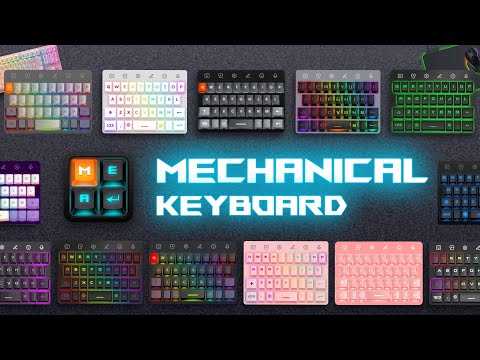

The mechanical keyboard gaming simulates a hyper-realistic appearance, typing sensation, and key-pressing experience.
The Mechanical Keyboard app is a free download that brings the experience of typing on a mechanical keyboard to your Android phone. With various themes, it provides the sensation of typing on a real keyboard. We have created a completely new experience on your device, incorporating neon light effects. Particularly, we faithfully replicate the sound of genuine mechanical switches such as Blue Switch, Brown Switch, Red Switch, giving you a refreshing and immensely enjoyable typing experience like a computer keyboard.
[Key features of the Mechanical Keyboard]:
⭐️ User-friendly keyboard app.
⭐️ The Mechanical keyboard simulates a hyper-realistic appearance, typing sensation, and key-pressing experience.
⭐️ Simulated Mechanical keyboard with numerous themes to match your personal preferences, all featuring background lights, illumination, Neon strips, RGB, etc.
⭐️ Typing sound effects: The robust sound of mechanical keys will provide a satisfying and engaging experience, enhancing your typing speed.
⭐️ Impressive effects, including sparkling keyboards, all available for free download.
⭐️ Faster typing, smart input support, swipe and voice input, automatic error correction, and advanced suggestions.
⭐️ Customizable emoticon symbols, diverse fonts, and GIF images for the mechanical keyboard.
⭐️ Adjustable size, personalize your keyboard to match your style.
⭐️ Multilingual support for typing in multiple languages.
⭐️ Improved typing experience: Offers a fun and visually appealing way to enhance your typing experience.
[ Privacy and Security]
⭐️ We are committed not to collect user information such as card numbers, personal codes or any other information. Any questions please feel free to contact us for answers.
[ Disclaimer]
⭐️ All copyrights are reserved to their respective owners.
⭐️ If you find any content in our app infringing copyright, please notify us so we can remove it from the Mechanical Keyboard app.
⭐️ You're welcome for using this application.
Mechanical Keyboard
- LicenseFree
- File nameMechanical Keyboard
- File Version63.2.7
- Package namecom.neon3d.mechanical.keyboard
- UploadedNovember 22, 2025

- CategoryPersonalization
- DeveloperYenlly Store
- Developer sitehttps://emoji-rgb-keyboard-4487c.web.app/
- Developer emailyenlly2910@gmail.com
- Permissionsshow (11)
